Wayknown
A Hong Kong transit app that keeps the few stops you actually use — bus, green minibus, MTR, and Light Rail — and has the next departures on screen before you ask. On the Home Screen, the Lock Screen, and the Apple Watch, in English or Traditional Chinese.
- Role
- Solo · design + build
- Year
- 2026
- Category
- App
- Weight
- 750g
- Price
- House blend
- Roast
- 4/5
- Notes
- Glanceable · Bilingual · No sign-in
- Stack
- SwiftUI · WidgetKit · App Intents · watchOS · MapKit · Cloudflare Workers
The origin
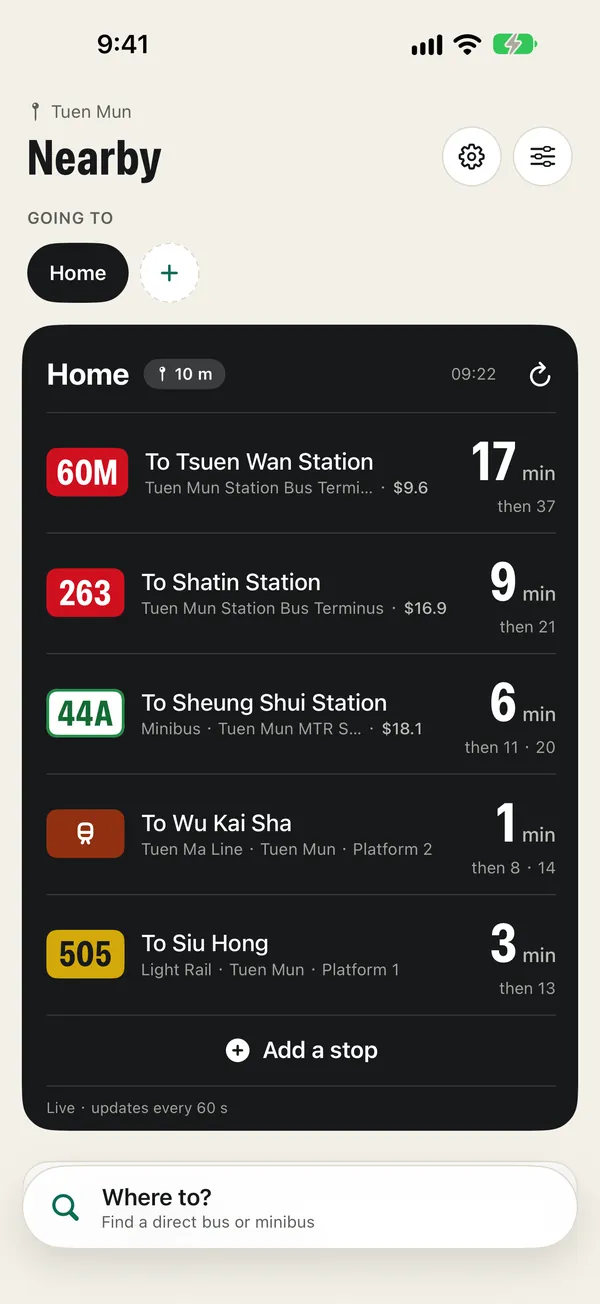
Hong Kong publishes live arrival times for every bus, green minibus, and train, yet most transit apps still make you search for your stop every morning. I wanted the reverse: an app that already knows the handful of stops you use and shows their next departures the moment you look. So the app is built around groups — the stops that share a starting point, like home or the office — and it opens on the group nearest to you. One starting point can hold a group per destination, and the morning list and the evening list swap by themselves.
The pull
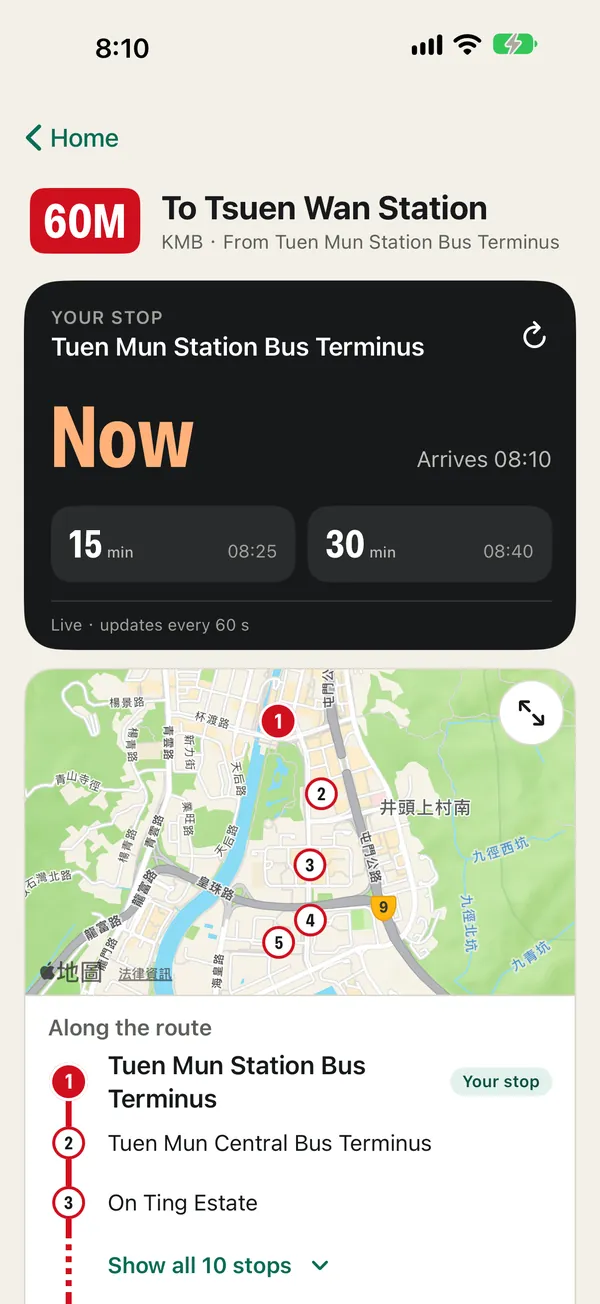
Behind that one list sit separate open-data feeds for each operator — KMB, Citybus, New Lantao Bus, the green minibus, the MTR, and Light Rail — each with its own IDs and quirks. The app folds them into one row type, so a minibus stop and a train platform share the same list and the same widget. When the network drops, it keeps the last times it received and shows them as clock times with the moment they were read, so an old number never passes for a live one. Tap a row for the stop's next times, the route on a map, and every stop along the way.
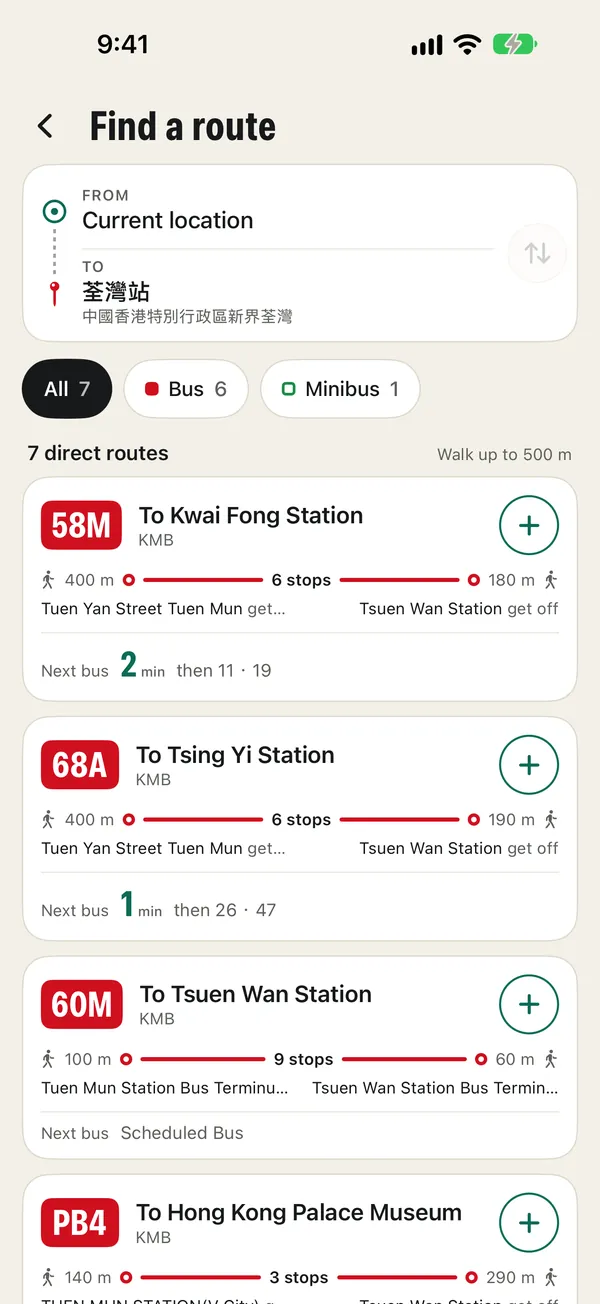
Adding a stop had to work with one thumb. The route keypad disables every key that can't lead to a real route number, so you can't type one that doesn't exist. Or skip the number: Find a route takes a destination, checks thousands of stops off the main thread, and lists the direct buses and minibuses that stop within a 500 m walk of both ends, widening to 800 m when none do — each with the walks, the stop count, and the next departure. The route list itself is rebuilt every week by a Cloudflare Worker, so new routes arrive between App Store releases, and the Worker refuses to publish a list in which any operator has lost more than a fifth of its routes.
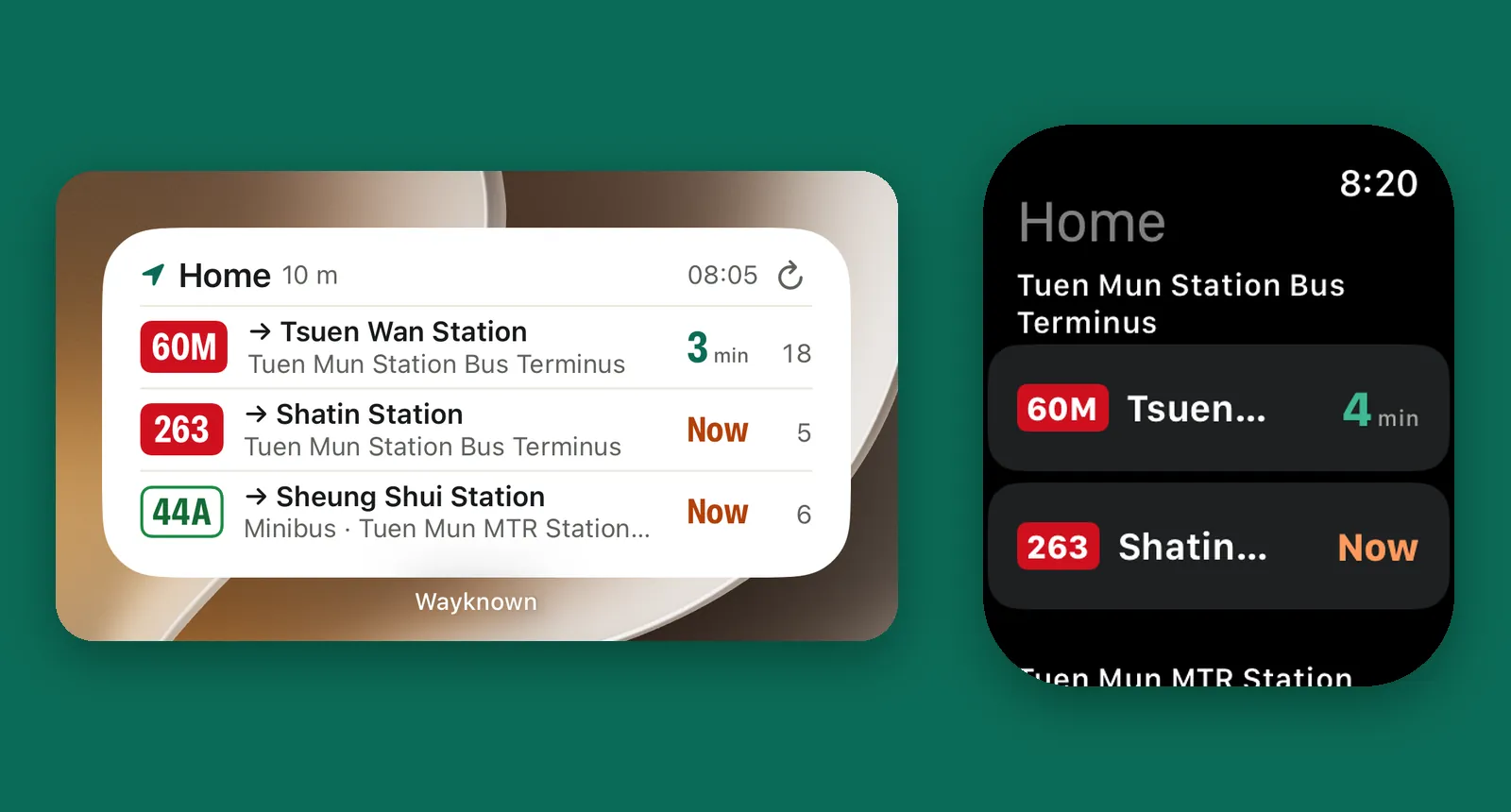
Most days you never open it. Small, medium, and large widgets show the nearest group, with arrows to flip between groups that share a start, because a widget can't read a swipe. Lock Screen widgets and an Apple Watch app carry the same groups. Every screen and every stop name comes in English or Traditional Chinese, or follows the phone. And there's nothing to sign in to: no account, no analytics, no ads, and saved stops stay on your devices. Even the route-list server keeps no request logs, because a log line could hold an IP address.
What came out
Live on the App Store · bus, green minibus, MTR, and Light Rail · 1,700+ routes · widgets + Apple Watch · no account, no analytics